The previous owner of my house installed a solar water heating system that didn’t appear to perform well. After some investigation I discovered that many of the copper heat pipes in the solar collector had ruptured and the lagging had melted off the supply pipes. I fixed replaced of this and it made for an immediate improvement. The problem was I had no real way of monitoring how well it was all working.
The brains of the operation was a SR81Q solar hot water controller, produced by Shuang Ri. This has a simple control panel showing the system state and providing a series of menus for configuring the various parameters. Temperatures are shown rounded to the nearest whole degree.
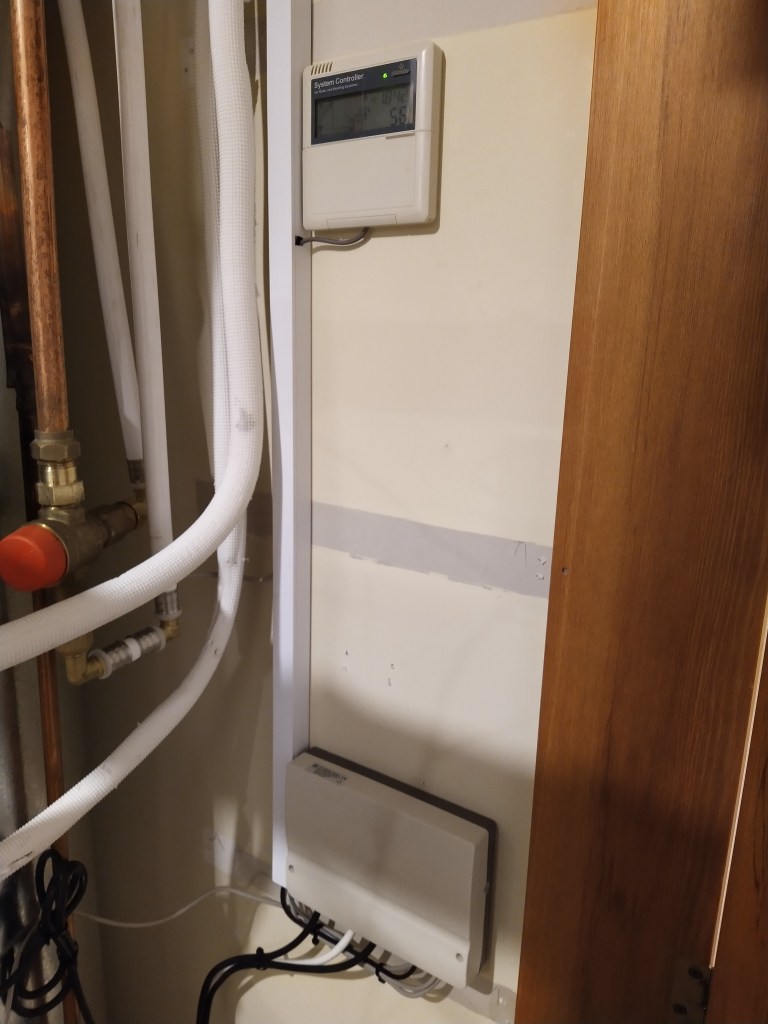
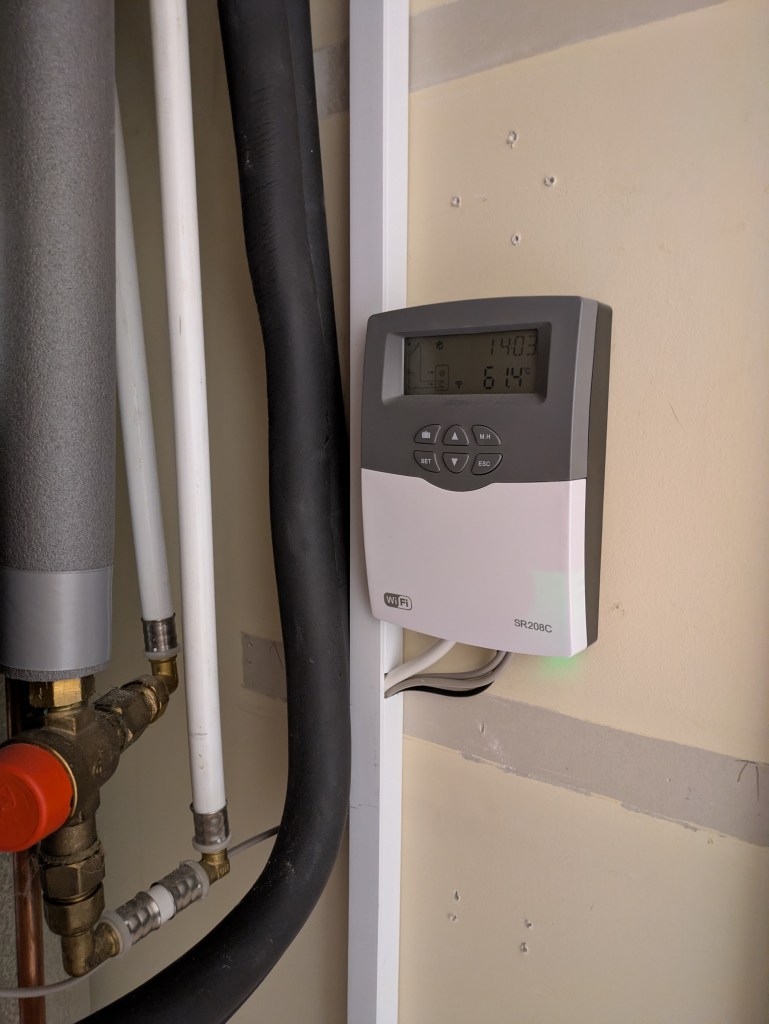
There appeared to be no official means for external connectivity, although there was a half-duplex serial link between the control panel and the main unit that I briefly started working on decoding. Until I stumbled across the newer SR208C controller. My hot water installation is very simple and consists of three temperature sensors (one collection and two in tank), the solar water pump and electric heater control. The SR208C does all this, plus has a 0.1° precision compared to the 1° precision of the SR81. It also comes with optional WiFi, and is widely available from Ali Express for less than NZ$120 delivered. Problem solved, perhaps!
While creating something from scratch is always an option, I prefer to have a purpose-built controller running the show and not have it dependent on Home Assistant for day to day operation.
I spent some time going through all of the existing SR81 settings and comparing with the default values in the manual, assuming the original installer had taken time to optimise this. It turns out they had done very little aside from setting schedules for the electric backup heating.
SR208C
The SR208C with WiFi turns out to be designed for the Tuya cloud ecosystem. The original WiFi module is a Tuya WBR3 based on a Realtek RTL8720CF. FOSS support for this is patchy at best and not even an option for ESPHome at the moment. Sniffing the serial pins showed standard Tyua serial comms at 115200 baud. There were also log messages from the module being send to the main MCU via the module’s second UART.
I desoldered the WBR3 module and tacked an ESP32 dev board in place for initial testing. I was able to install ESPHome and work on analysing the Tuya data points.
After much investigation I could not find an ESP32 module that was a direct fit without modifying PCB traces. I settled for a WB3S module which is based on a Beken BK7231T. This module is the only one I can find that has an exact pinout match for the SR208C, so was able to be soldered directly in place and keep everything looking factory fresh. Except for the ground pad that lifted off and needed a jumper wire. 😦
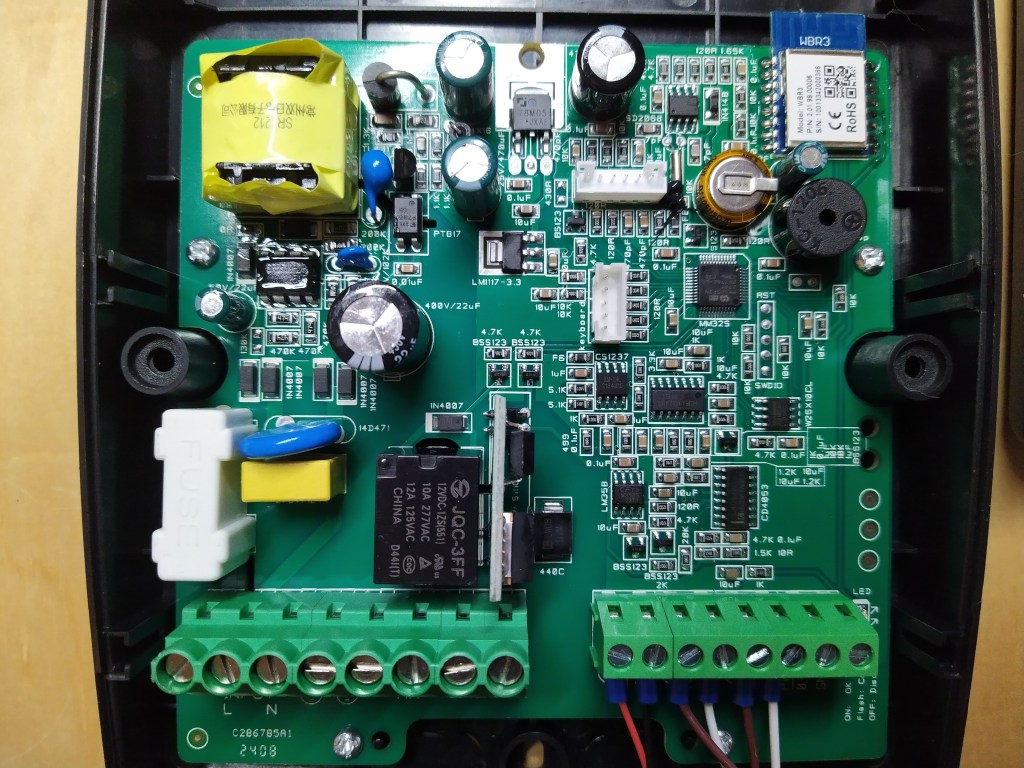
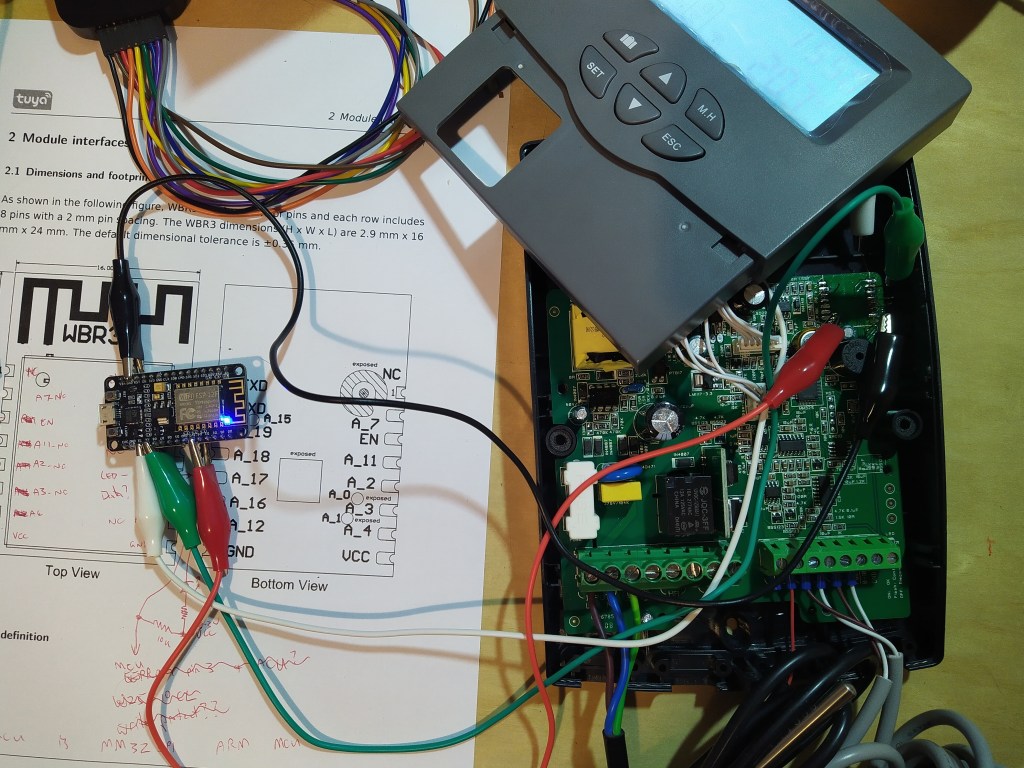
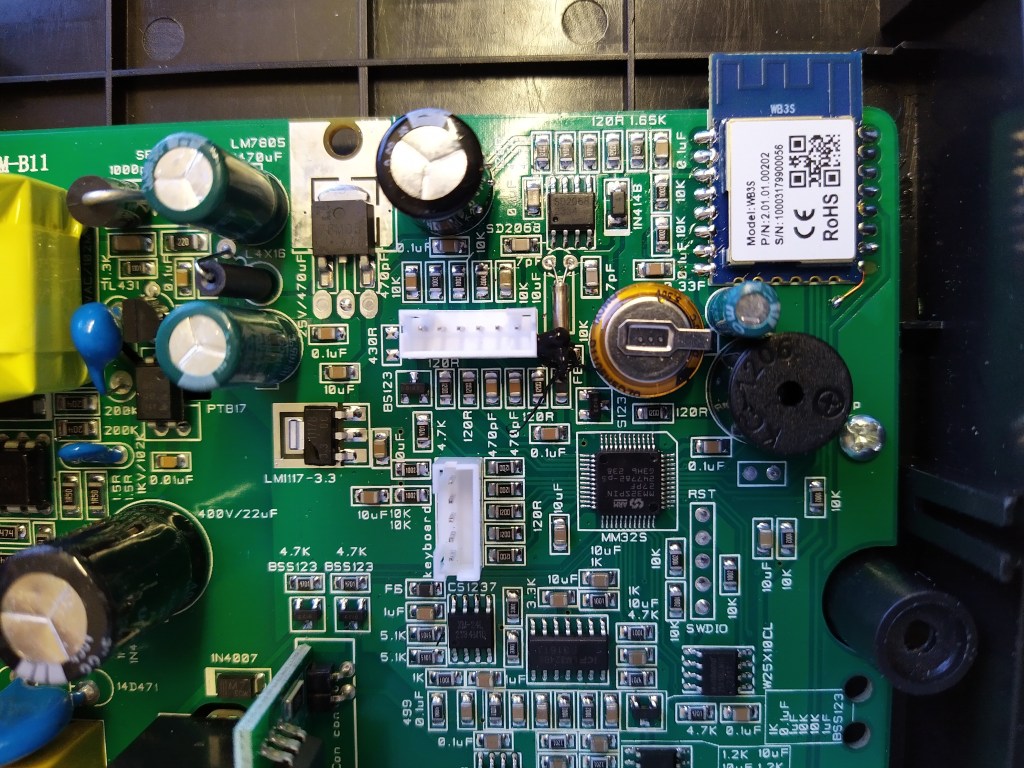
I flashed the module using a USB serial adapter before installing it and future updates can be applied via OTA.
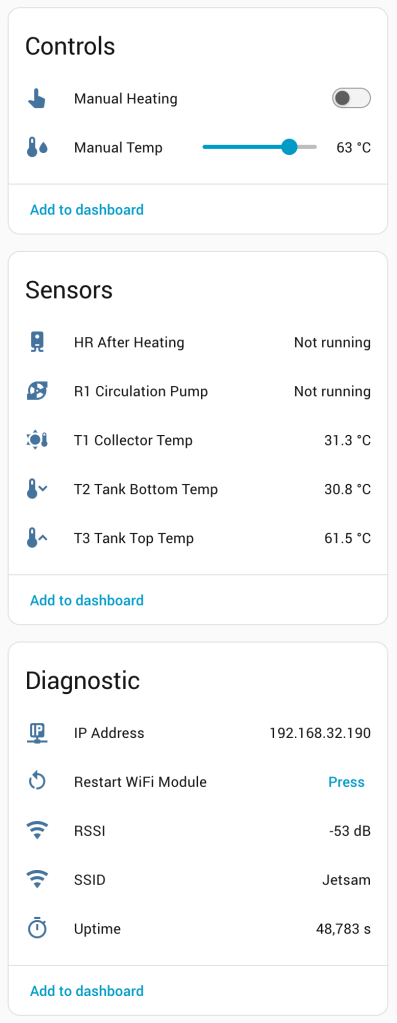
After all this we can now do the following via Home Assistant:
- Monitoring T1 (collector), T2 (lower tank), T3 (upper tank) temperatures.
- Monitoring collector pump (R1).
- Monitoring electric heating (H1).
- Turning manual backup heating on or off.
- Setting the manual heating temperature.
- Changing between Celsius and Farenheit units.
Sadly it doesn’t allow:
- Controlling holiday mode.
- Setting the time.
- Overriding the pump control.
- Configuring any other options.
If anyone finds a solar controller that does offer these features then please drop a comment below!
From here I’ve been able to log the state and effectiveness of the solar water heater. In the summer months this supplies over 90% of my hot water needs and in the winter it makes very little difference. Through spring and autumn it varies in contribution, averaging around 50%.
One quirk I discovered with the SR208C was that it would sometimes reset when the hot water backup heat was switched off. This was from inductive kickback from the external contactor used to switch the heating element. Installing a snubber across the contactor coil fixed this. A basic snubber can be made using a 100n class X capacitor and 100 ohm resistor in series.
Screenshots
ESPHome Config
esphome:
  name: sr208c
  friendly_name: Shuang Ri SR208C Solar Water Controller

bk72xx:
  board: wb3s
  framework:
    version: latest
    options:
      LT_SERIAL_BUFFER_SIZE: 512

logger:

api:
  encryption:
    key: put_your_api_key_here

ota:
  password: set_an_ota_password
  platform: esphome

wifi:
  ssid: !secret wifi_ssid
  password: !secret wifi_password

  ap:
    ssid: SR208C
    password: set_a_fallback_wifi_password

captive_portal:

web_server:
  port: 80
  ota: False
  version: 3

time:
  - platform: homeassistant
    id: ha_time
    timezone: "Pacific/Auckland"

# Run the status LED in the SR208C
status_led:
  pin:
    number: RX2

uart:
  baud_rate: 115200
  tx_pin: TX1
  rx_pin: RX1
  # Set large buffer to avoid serial sync issues
  rx_buffer_size: 512

tuya:
  time_id: "ha_time"

binary_sensor:
  - platform: "tuya"
    name: "HR After Heating"
    id: "hr"
    sensor_datapoint: 32
    icon: "mdi:water-boiler"
    device_class: "running"

  - platform: "tuya"
    name: "R1 Circulation Pump"
    id: "r1"
    icon: "mdi:pump"
    sensor_datapoint: 30
    device_class: "running"

  - platform: "tuya"
    id: "t3_enabled"
    sensor_datapoint: 1

number:
  - platform: "tuya"
    name: "Manual Temp"
    id: "mh_temp"
    icon: "mdi:thermometer-water"
    device_class: "temperature"
    unit_of_measurement: "°C"
    number_datapoint: 4
    min_value: 10
    max_value: 80
    step: 1

select:
  - platform: "tuya"
    id: "temp_unit"
    enum_datapoint: 6
    optimistic: true
    icon: "mdi:temperature-celsius"
    disabled_by_default: True
    options:
      0: Celsius
      1: Fahrenheit

sensor:
  - platform: "tuya"
    name: "T1 Collector Temp"
    id: "t1"
    sensor_datapoint: 26
    unit_of_measurement: "°C"
    device_class: "temperature"
    state_class: "measurement"
    icon: "mdi:sun-thermometer"
    accuracy_decimals: 1
    filters:
      - multiply: 0.1
      - clamp:
          max_value: 300
          ignore_out_of_range: true
      - lambda: if ((id(temp_unit).active_index() == 1)) return x * (9.0/5.0) + 32.0; else return x;

  - platform: "tuya"
    name: "T2 Tank Bottom Temp"
    id: "t2"
    sensor_datapoint: 22
    unit_of_measurement: "°C"
    device_class: "temperature"
    state_class: "measurement"
    icon: "mdi:thermometer-chevron-down"
    accuracy_decimals: 1
    filters:
      - multiply: 0.1
      - clamp:
          max_value: 200
          ignore_out_of_range: true
      - lambda: if ((id(temp_unit).active_index() == 1)) return x * (9.0/5.0) + 32.0; else return x;

  - platform: "tuya"
    name: "T3 Tank Top Temp"
    id: "t3"
    sensor_datapoint: 21
    unit_of_measurement: "°C"
    device_class: "temperature"
    state_class: "measurement"
    icon: "mdi:thermometer-chevron-up"
    accuracy_decimals: 1
    filters:
      - multiply: 0.1
      - clamp:
          max_value: 200
          ignore_out_of_range: true
      - lambda: if ((id(temp_unit).active_index() == 1)) return x * (9.0/5.0) + 32.0; else return x;

  - platform: wifi_signal
    name: "RSSI"
    id: wifi_signal_db
    icon: "mdi:wifi"
    unit_of_measurement: "dB"
    update_interval: 30s
    entity_category: "diagnostic"

  - platform: uptime
    name: Uptime
    disabled_by_default: false
    force_update: false
    icon: mdi:timer-outline
    accuracy_decimals: 0
    device_class: duration

switch:
  - platform: "tuya"
    name: "Manual Heating"
    id: "mh"
    icon: "mdi:cursor-pointer"
    switch_datapoint: 8

button:
  # Need to implement trigger from Tuya reset message
  - platform: factory_reset
    id: "wlan_reset"
    icon: "mdi:restart-alert"

  - platform: restart
    name: "Restart WiFi Module"
    icon: "mdi:restart"
    entity_category: "diagnostic"

text_sensor:
  - platform: wifi_info
    ip_address:
      name: "IP Address"
      icon: "mdi:ip-network"
    ssid:
      name: "SSID"
      icon: "mdi:wifi"

